

Plans
Sqiya offers three plans: Asasi, Daki and Kbir. The Our plans screen compares them and lets you ask for a change of plan.
Open the plans screen
- Tap the Settings tab.
- In the My subscription section, tap See all plans →.
You can also get there from the See plans → banner in the Schedules tab, or from the … user limit reached message on the Team screen.
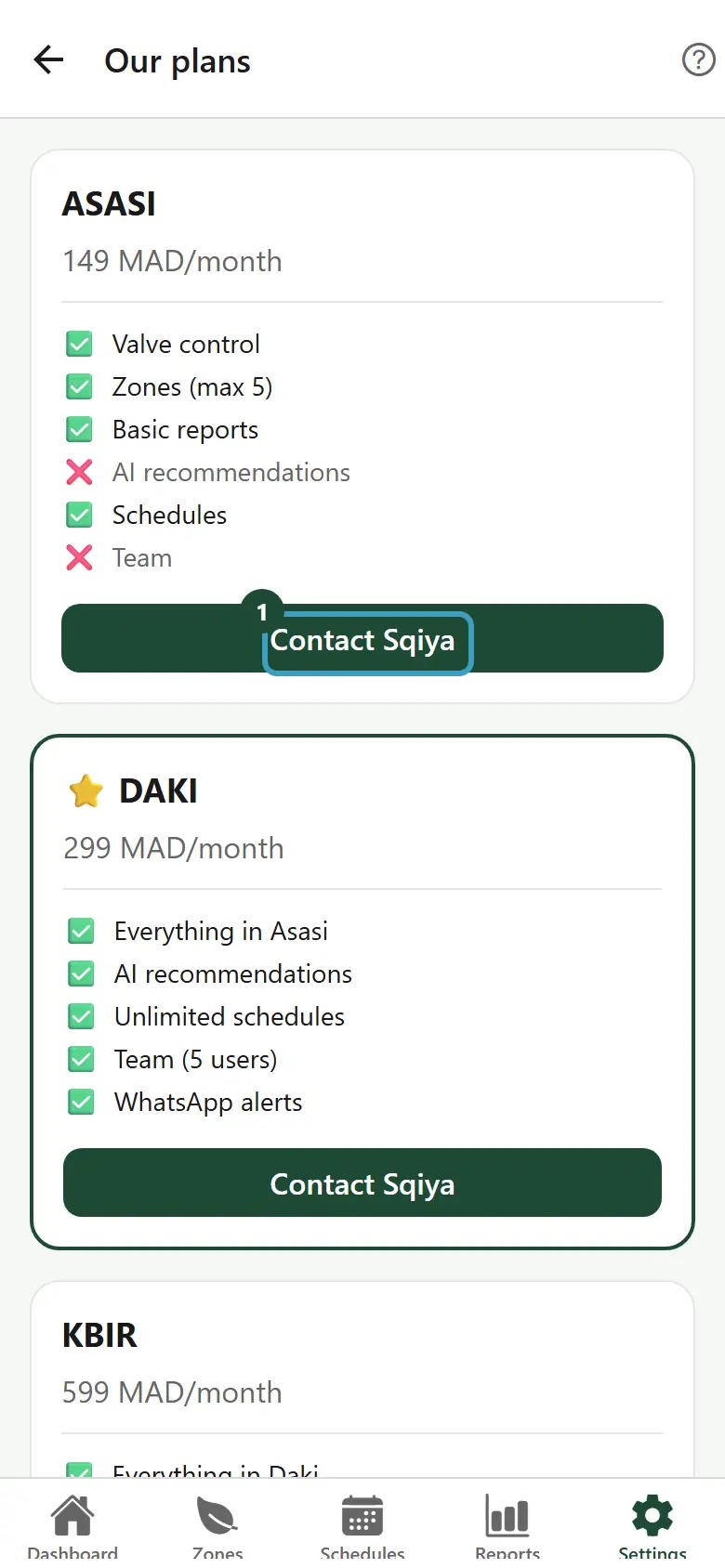
Read a plan card
Each card shows the name of the plan, its base price per month (for example "…/month") and the list of its features: ✅ included, ❌ not included. The highlighted plan is marked with a star ⭐.
The content shown comes directly from your subscription with Sqiya: it is always up to date.
| Plan | What the card shows |
|---|---|
| Asasi | The full details: Valve control, Zones (max …), Basic reports, AI recommendations, Schedules, Team. |
| Daki | Everything in Asasi, plus AI recommendations, Unlimited schedules, Team (… users) and WhatsApp alerts. |
| Kbir | Everything in Daki, plus Multi-farm (…), API access, Home Assistant and Offline rules. |
INFO
The amount of your subscription also depends on the area of your farms. The exact amount of your plan is shown in Settings, on the Current plan line, and on each invoice.
Change plans
Changing plans is done with the Sqiya team.
- On the card of the plan you want, tap Contact Sqiya.
- WhatsApp opens with a message already written: "Hello, I would like to switch to the … plan".
- Send the message.
- The Sqiya team answers you to arrange the change.
Your current plan has no button: it is marked Your current plan.
TIP
After the change, the new features appear in the app after you sign in again, or at the latest after a few minutes.
When a feature is not in your plan
The app hides what your plan does not include. For example:
- without schedules, the + button of the Schedules tab disappears, and a banner shows "This feature is not included in your … plan" with See plans →;
- without AI recommendation, the AI Recommendation card does not appear in the zone details;
- without team management, the Team section does not appear in Settings;
- without multi-farm, the All farms view is not offered (see Several farms).